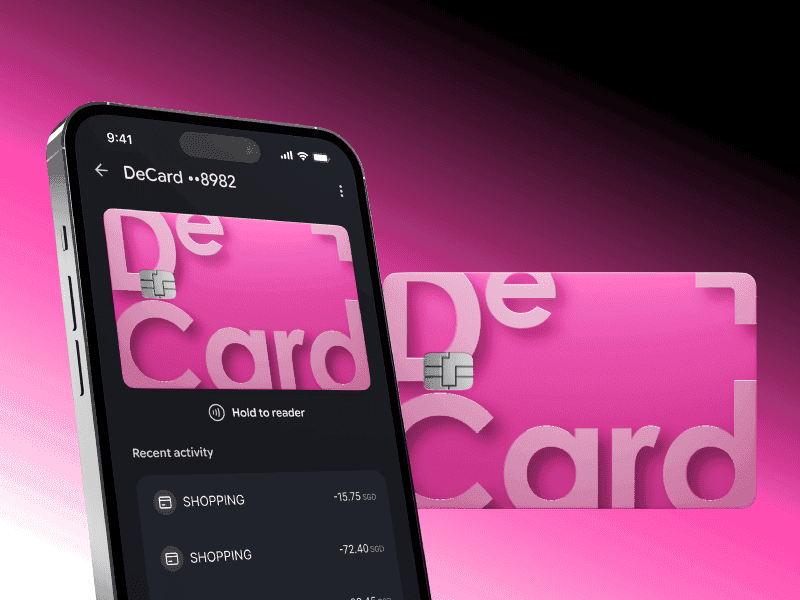
Spend Stablecoins Anywhere with DeCard
Turn your stablecoins into everyday spending with DeCard. From signing up, to depositing funds, and using your card, this guide covers everything you need to start spending globally.
Getting started with DeCard
DeCard is a next-generation payment card that lets you turn stablecoins into everyday spending power. Whether you're dining out, shopping online, or travelling, DeCard helps you spend your digital assets like a regular card — no hassle, no fuss.
DeCard works like a traditional credit card. Once approved, you're assigned a credit limit you can spend against at millions of merchants worldwide. Repay your balance using supported stablecoins — USDT or USDC — and your available limit is restored, ready for your next spend.
Applying for your DeCard account
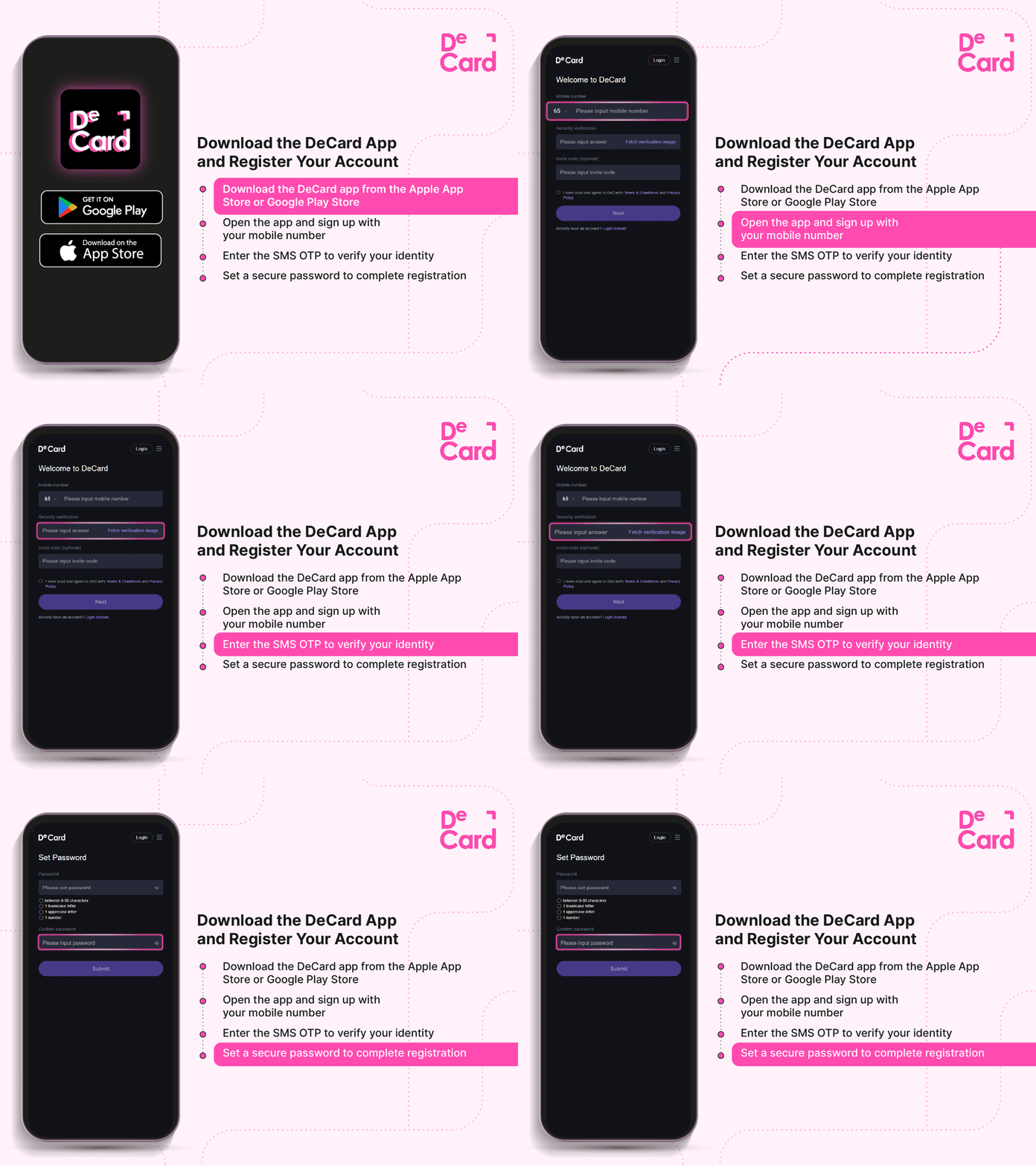
Step 1: Download the DeCard App
Download the DeCard app from the Apple App Store or Google Play Store. This app serves as your central hub for managing your DeCard and rewards.
Step 2: Register Your Account
- Open the app and sign up with your mobile number
- Enter the SMS OTP to verify your identity
- Set a secure password to complete registration
Step 3: Submit Card Application
Get to the Card page to begin your application. Verify your identity using one of the following:
- Singpass (for Singapore Citizens and PRs), or
- Submit your Passport/IC + proof of address
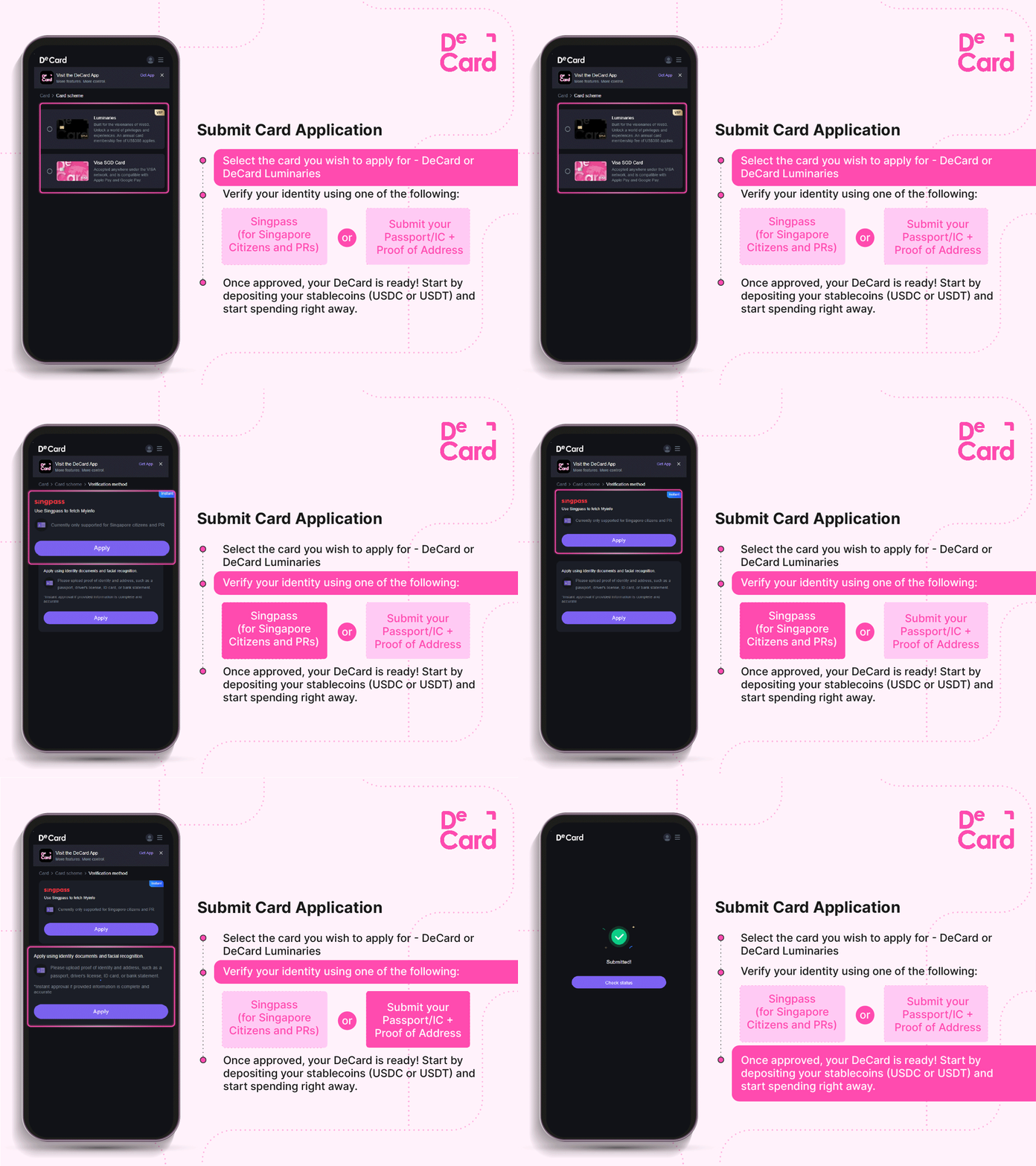
Once approved, your DeCard is ready! Deposit your stablecoins (USDC or USDT) and start spending right away.
Congratulations! Your DeCard journey begins here.
Navigating the DeCard App
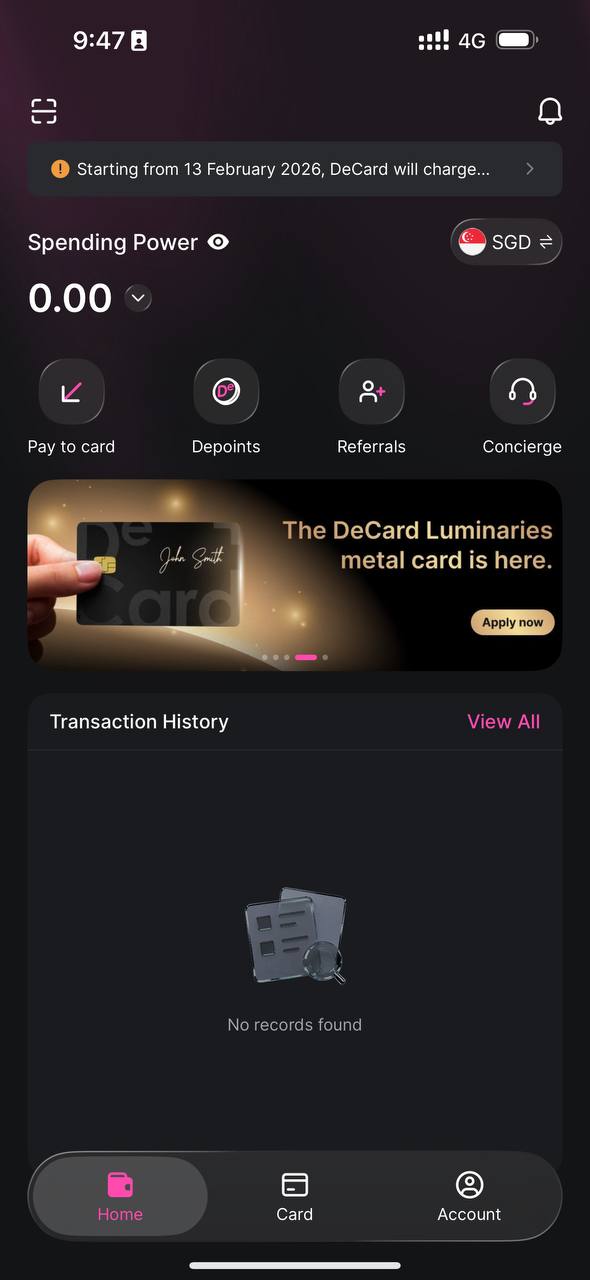
D-Vault
This page serves as your main hub, where you can:
- Check your account balance
- View transaction history and e-statements
- Deposit USDC/USDT or bank transfer (only valid for Singaporean users transferring SGD)
- Redeem rewards using your DePoints
- Contact Customer Support via our Telegram Helpbot
Card
This page provides full control over your DeCard:
- View your card details
- Freeze or unfreeze your card instantly
- Adjust transaction limits
- Request for a physical card
For contactless payments, add your DeCard to your Apple Wallet or Google Pay.
Adding to Apple Pay:
Open the Apple Wallet app.
- Tap the "+" icon in the top-right corner to add a card
- Scan or manually enter your DeCard information
- Complete verification with an OTP code sent to you
- Once approved, you’re ready to tap and pay
Tip: Ensure your iPhone is updated and has Face ID or Touch ID enabled.
Adding to Google Pay:
You can add DeCard to Google Pay on your Android device by:
- Select Google Pay app on your Android phone
- Click "Set up contactless"
- Add a new card, and key in your DeCard details
- Accept the terms and conditions, and then verify OTP code by SMS or email
- Enjoy seamless payments with Google Pay after a successful setup
Prefer a tangible card? Once your virtual card is active, you can request a physical DeCard. Check for your physical card issuance and delivery fee in-app.
Account
You can update your personal information, configure security options, and access FAQs and help guides.
Deposit Funds Into Your DeCard
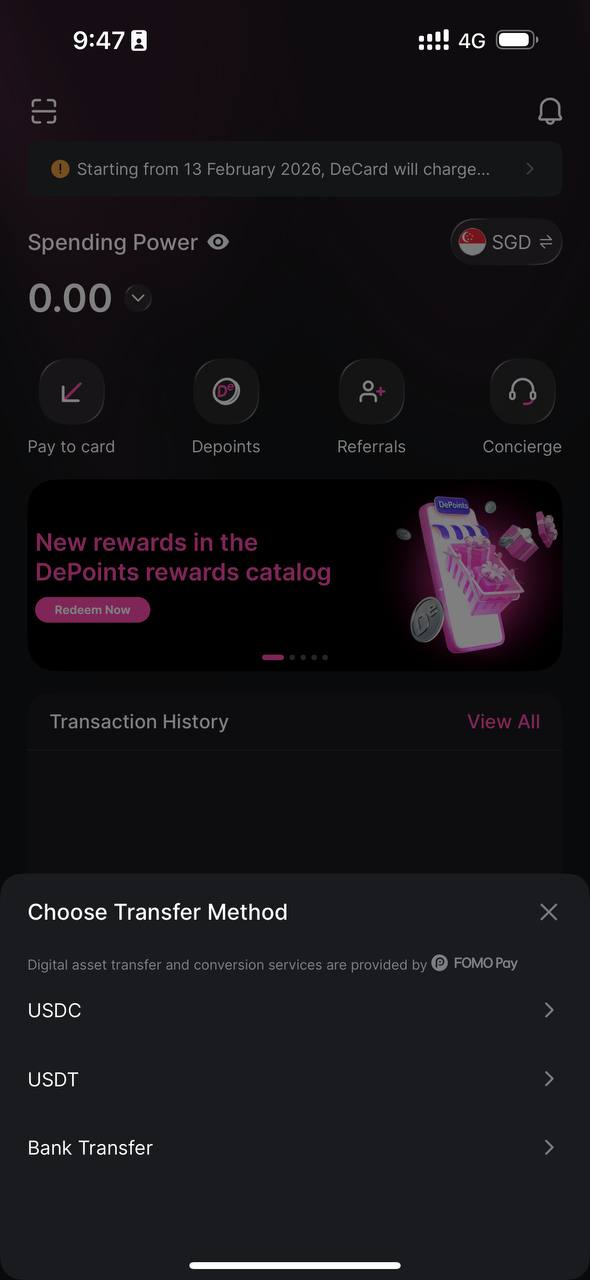
Depositing Stablecoins
- Go to D-Vault → Pay to card
- Choose your currency (USDC or USDT) and blockchain network
- USDC: Polygon, Solana, BASE, Ethereum
- USDT: Polygon, Solana, TRON, Ethereum
- Confirm your details
- Receive a unique deposit address
- Send your stablecoins
- Your DeCard balance updates once the transaction is confirmed
Once your DeCard balance is loaded, you're ready to spend!
Bank Transfer (Only valid for Singapore users transferring SGD)
- Go to D-Vault → Pay to card → Bank Transfer
- Add the payee details in your local banking app and ensure your remittance info matches your DeCard account
- Enter your deposit amount and complete the transfer
- Funds typically appear in your account within minutes
Once your DeCard is funded, you're ready to spend!
DePoints: Your Rewards for Spending
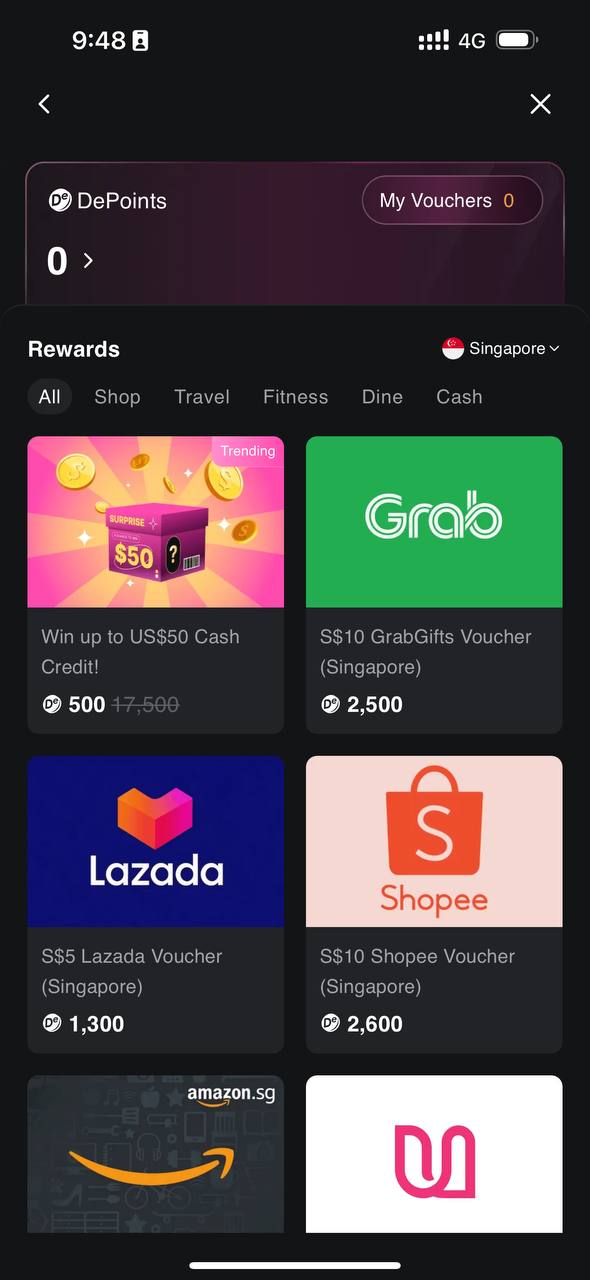
Every time you spend with DeCard, you earn DePoints, which can be redeemed for cash credits, miles, vouchers, and other rewards. With DeCard, you'll receive 1 DePoint for every US$1 spent, making every transaction more rewarding. For DeCard Luminaries cardholders, they can opt to receive DePoints instead of cashback, more information found here.
Within the app, you can:
- Check your DePoints balance
- Browse and redeem available rewards
- View your purchased vouchers
Referral Program
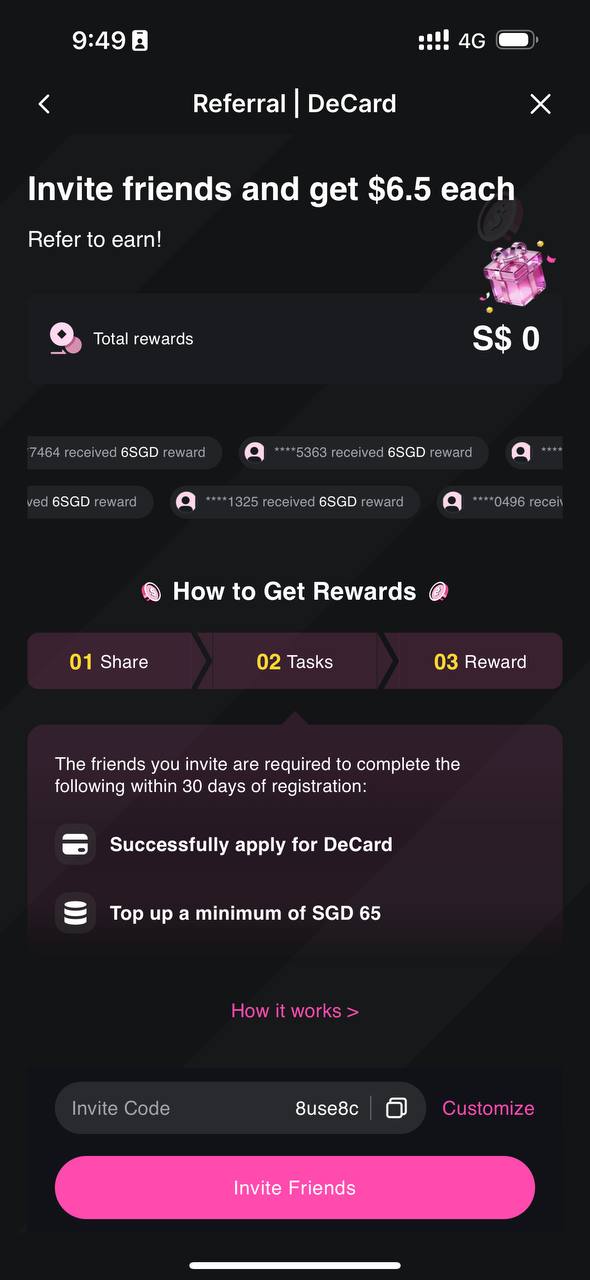
Invite your friends to DeCard and reap the rewards together! When a friend signs up and deposits S$50 within 30 days, you both get S$5. There is no limit to referrals, so the more friends you invite, the more you earn.
To refer:
- Go to D‑Vault → Referral → Invite Friends
- Share your unique link
- Track progress in-app
- Rewards are credited on the 10th of the following month
DeCard Luminaries
For users looking to go beyond everyday spending, DeCard offers a premium upgrade — the DeCard Luminaries card. Built on the same secure and compliant foundation as DeCard, it takes you further, unlocking a world of exclusive privileges, elevated experiences, and limitless possibilities.
- Up to 10% cashback
- Higher spending limit
- 2 complimentary airport lounge visits with Dragonpass
- Complimentary travel insurance and concierge service
- Curated experiences and privileges
- Attractive welcome gifts
The DeCard Luminaries card also comes in a premium metal card. Crafted from a precision-engineered 22-gram metal alloy and finished with personalised laser engraving, every detail reflects the sophistication behind DeCard Luminaries.
Quick Support via Telegram
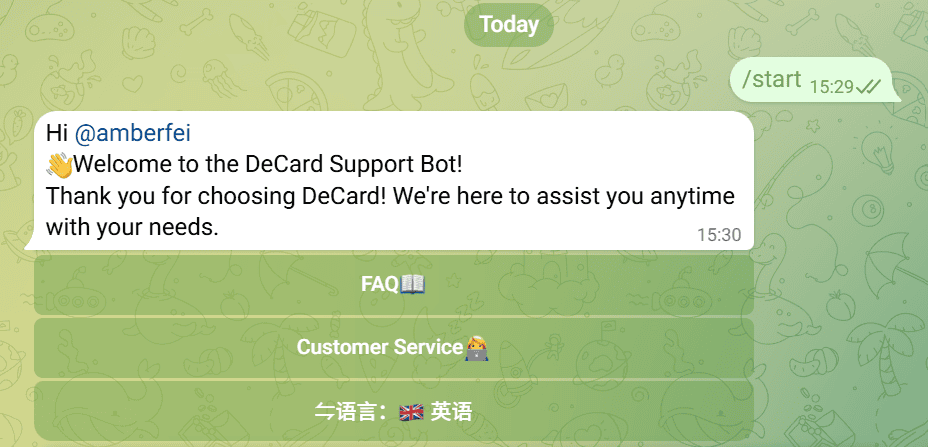
Need quick answers on the go? Say hello to @TheDeHelpBot, your 24/7 DeCard assistant on Telegram! Whether you're checking card features, troubleshooting an issue, or looking for step-by-step guidance, it's always ready to help.
For more complex issues, customer service time (UTC+8): Monday to Sunday 9:00-22:00.
Sign up for DeCard today and turn your stablecoins into real-world spending power.